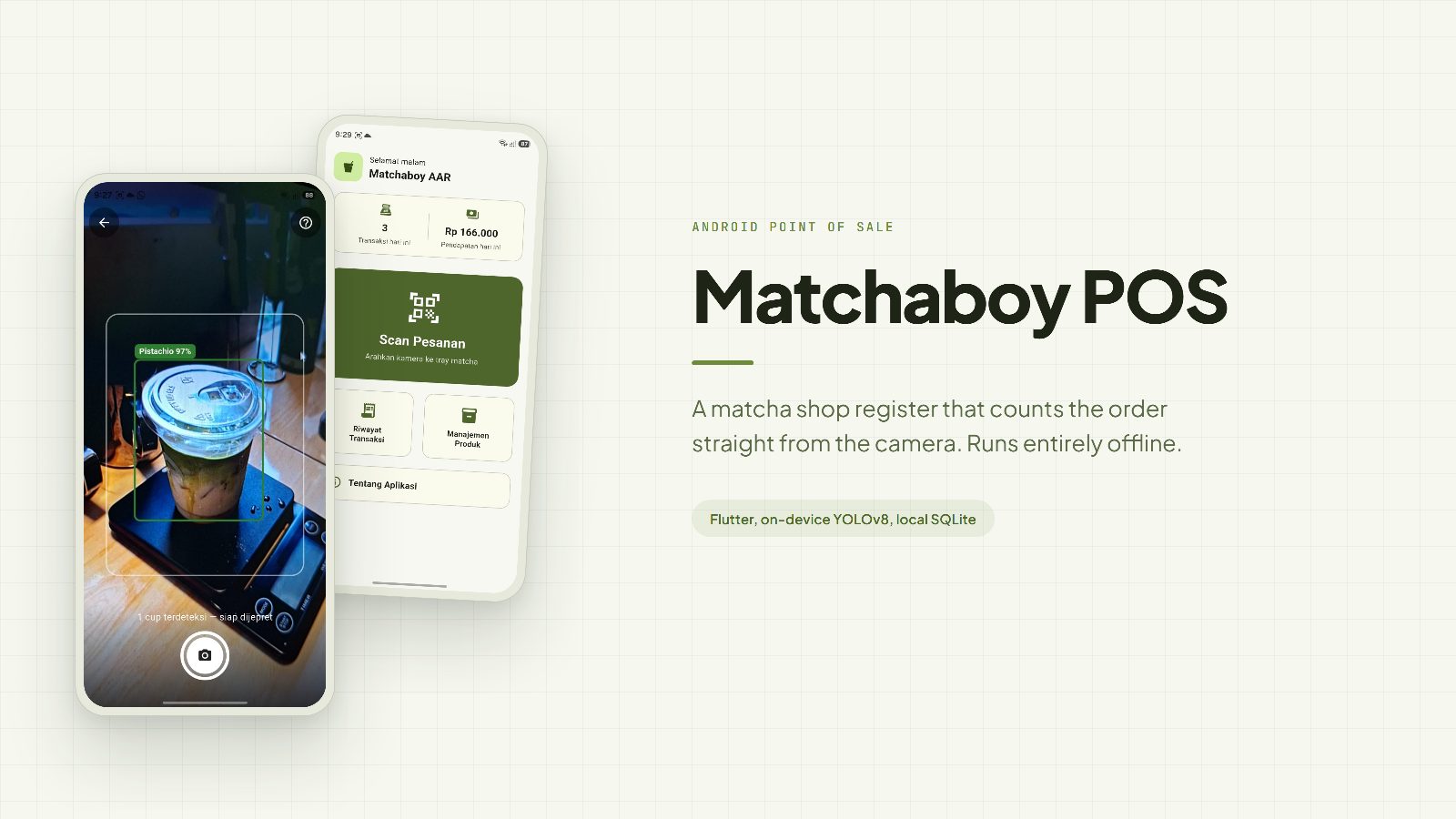
An Android point of sale app for the Matchaboy AAR shop. The cashier points the camera at a tray of matcha cups, the app reads each variant and quantity and totals the order, all without an internet connection.
Background
Matchaboy AAR sells matcha in six variants whose cups look almost identical: Original, Vanilla, Choco, Taro, Pistachio, and Red Velvet. The only differences are the colour of the drink and the sticker. When the shop is busy, the cashier has to check the tray cup by cup, remember which variants are on it, then add up the prices. It is easy to get wrong when a tray holds a mix. The shop also had no proper transaction records, so the owner had no daily sales figure to look at.
Solution
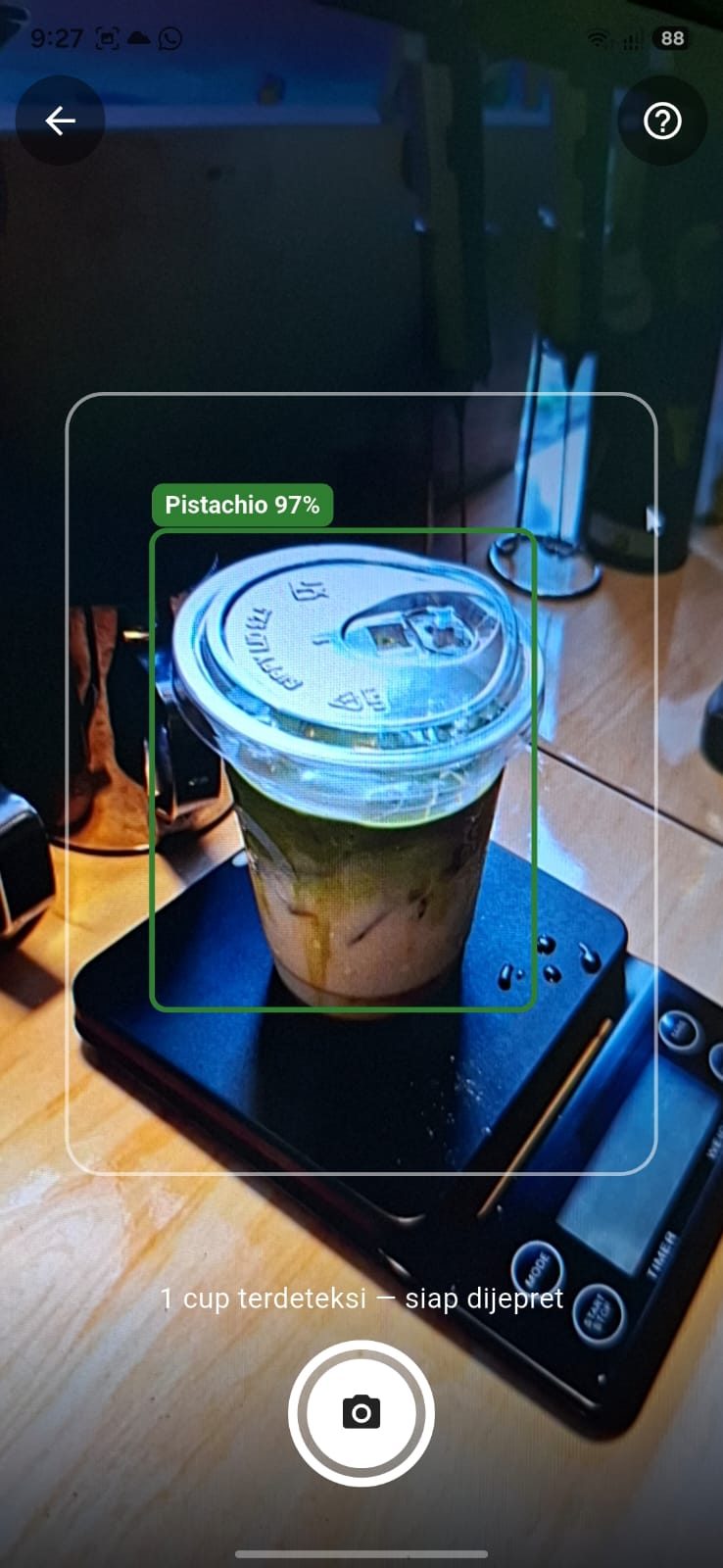
I built an Android point of sale app that uses the camera as the counting tool. The cashier points the camera at the tray, and a YOLOv8 model embedded in the app reads each cup and marks it with a coloured box plus the variant name and a confidence figure, right on the live preview. The shutter button only becomes active once a cup has been recognised, so the cashier cannot capture an empty frame.
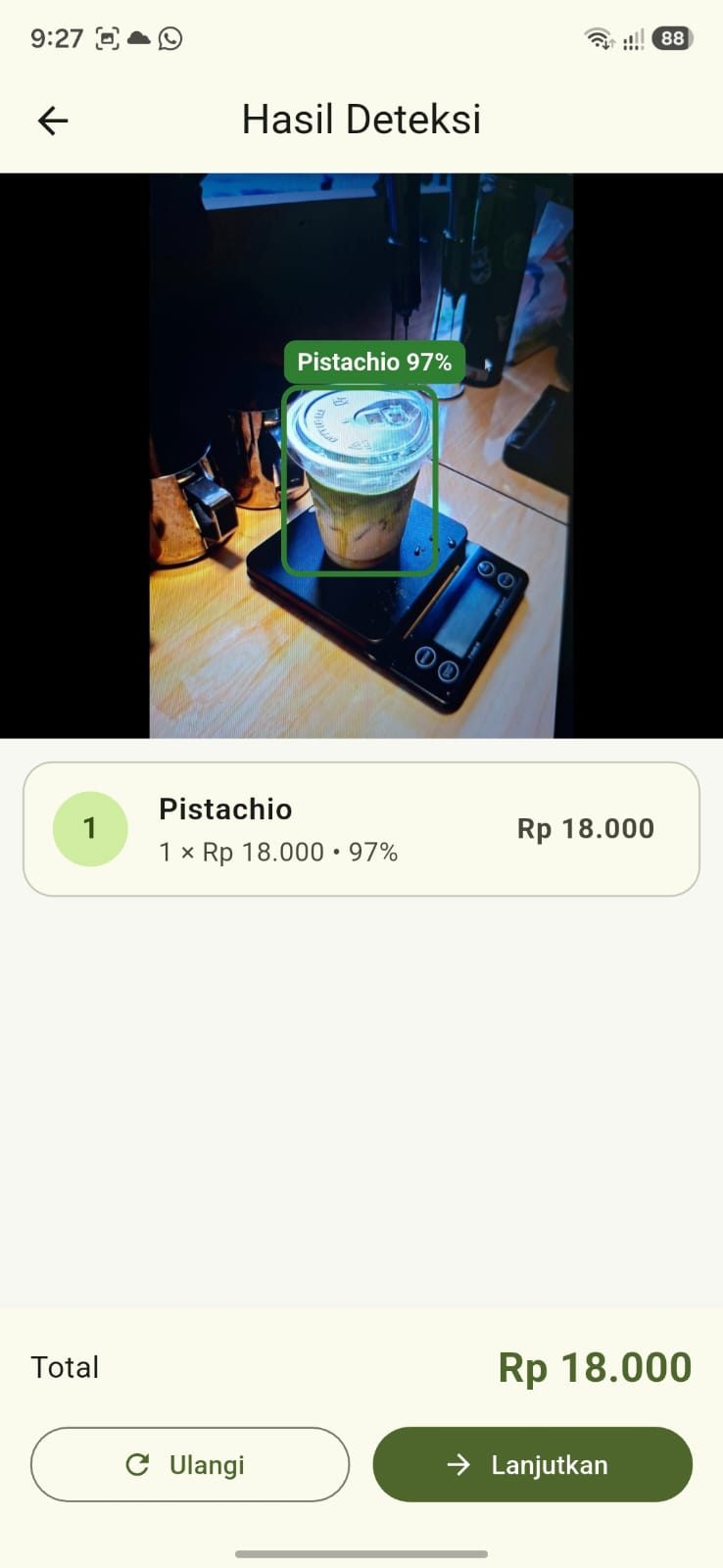
Once captured, the app groups the detections by variant, pulls prices from the SQLite database on the phone, then shows a breakdown per variant with the total. The cashier checks it, fixes anything that was misread, and saves. From the home screen to a saved transaction takes four steps.
There is no server behind it. The model, the prices, and the transaction history all live on the phone, so the app keeps working when the shop loses signal.
Key features
- Real-time cup detection through
YOLOView, with boxes and labels drawn over the preview on every frame - A shutter button that stays locked until a cup is detected
- An automatic order breakdown: cup count per variant, unit price, subtotal, and total
- Manual correction on the Confirmation screen to add, reduce, or remove items
- Transaction storage with a unique code in the format
TRX-YYYYMMDD-NNN - Transaction history with a date filter and a detail page per transaction
- Product management for editing the name, code, and price of all six variants
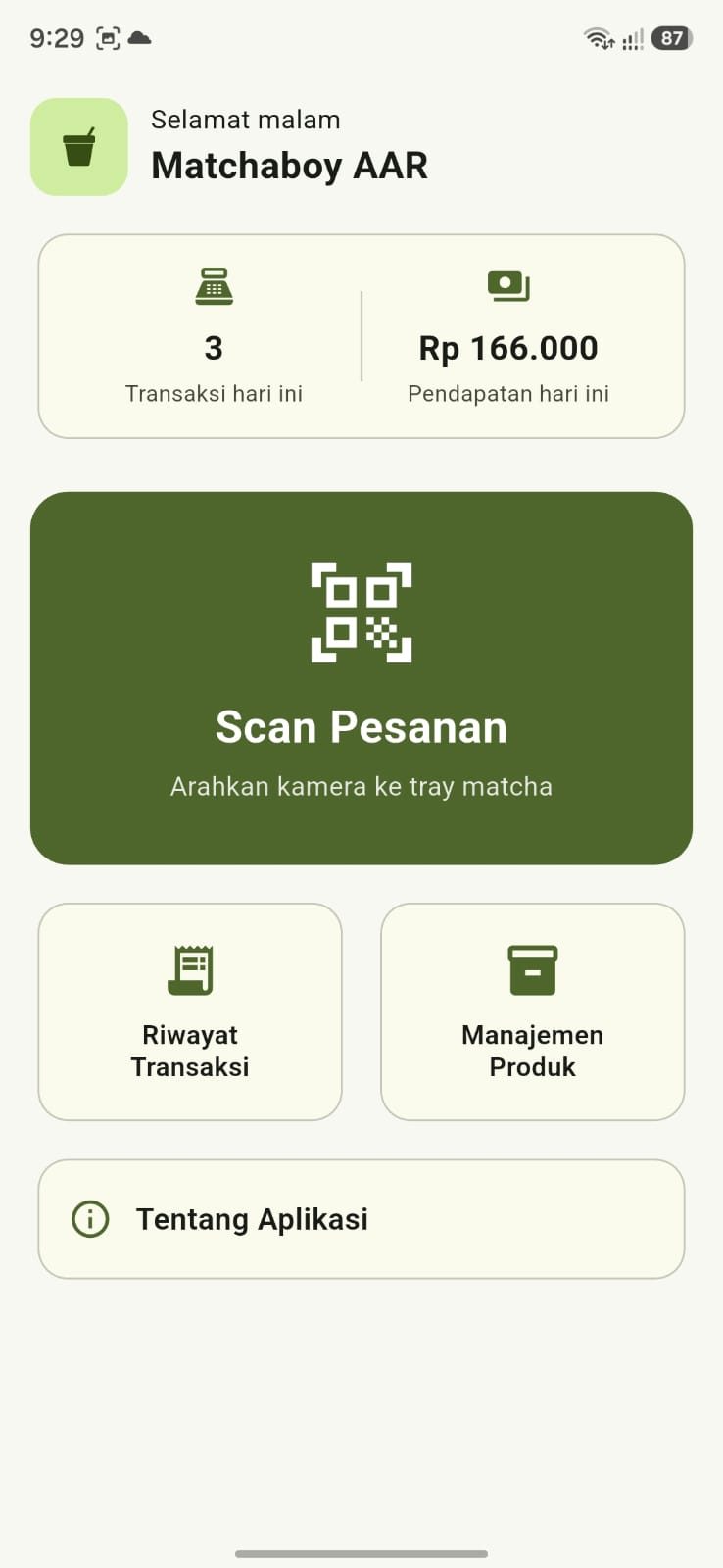
- A daily summary on the home screen with the transaction count and revenue for the day
Technical challenges
The first problem came from the overlay. The ultralytics_yolo plugin ships with its own box drawer, but its colours cannot be set per class and the labels often disappeared against bright cups. I switched it off with setShowOverlays(false) and drew my own with CustomPainter: each variant gets its own solid colour and the label sits on a coloured pill with white text, so it is always readable. What caught me out was that boxes which lined up perfectly on the Scan screen were off on the Detection Result screen. The live preview crops the frame with BoxFit.cover while the captured photo is shown whole with BoxFit.contain. I made the overlay take a fit parameter and compute its own scale and offset, so one widget serves both screens and the boxes stay aligned.
The second problem was how much to trust the model. The light in the shop tends to be dim and cups can overlap, so detection is not always right. Rather than forcing the cashier to accept whatever the model says, I made the Confirmation screen editable before saving. The average confidence per variant is still written to the confidence_score column, so if a transaction looks odd I can trace how sure the model was at the time. If a class label has no matching product in the database, the Detection Result screen raises a warning banner instead of quietly skipping it.
The rest was database work. Product prices can change, and if an old transaction only stored product_id, raising a price would rewrite the total on receipts that were already issued. So unit_price and subtotal are stored on transaction_items as well. The transaction code is derived from the number of transactions on the same day, and I put that code generation inside the same db.transaction as the insert so the numbering cannot clash. I enabled foreign keys with PRAGMA foreign_keys = ON, since SQLite turns them off by default.
One small decision helped a lot: product_code in the products table matches the model's class label exactly. Mapping a detection to a price ended up being a single query, with no intermediate table and no mapping list in the code.
My role
I built the app alone: designing the three related tables, integrating the model into Flutter, building all ten screens, writing the detection overlay, handling Indonesian rupiah and date formatting, and dealing with camera permissions along with the fallback screen when permission is denied.
Results and what comes next
Testing in the shop went as expected. A single pistachio cup on the counter was read with 97 percent confidence, then recorded cleanly as transaction TRX-20260705-003 with the breakdown per variant.
A few things are not finished. The model only recognises six variants, so Sereal, Cookies, and Biscoff still have to be added through the Add item button. The release build also still uses a debug key. Next I want to add sales reports per date range with a data export, and retrain the model so the new variants are recognised too.